Ask in the channel.
Send the invoice, receipt, bank question, or customer request where the work already starts.
Accountant Included
Ask Lyf to create the invoice, check whether rent was paid, explain a GST treatment, or queue a bill for approval. The web app keeps the controls, source documents, review queue, and audit trail visible when you need to inspect the work.
The web app
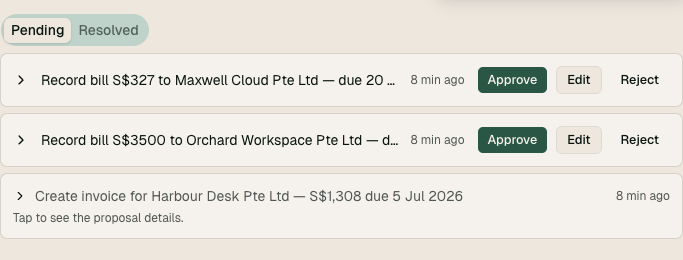
Ask Lyf can draft from a message, but the product still gives you the accounting surface when a decision needs a person. Bills, invoices, contacts, and proposed entries wait here before they touch the ledger.
Review before posting
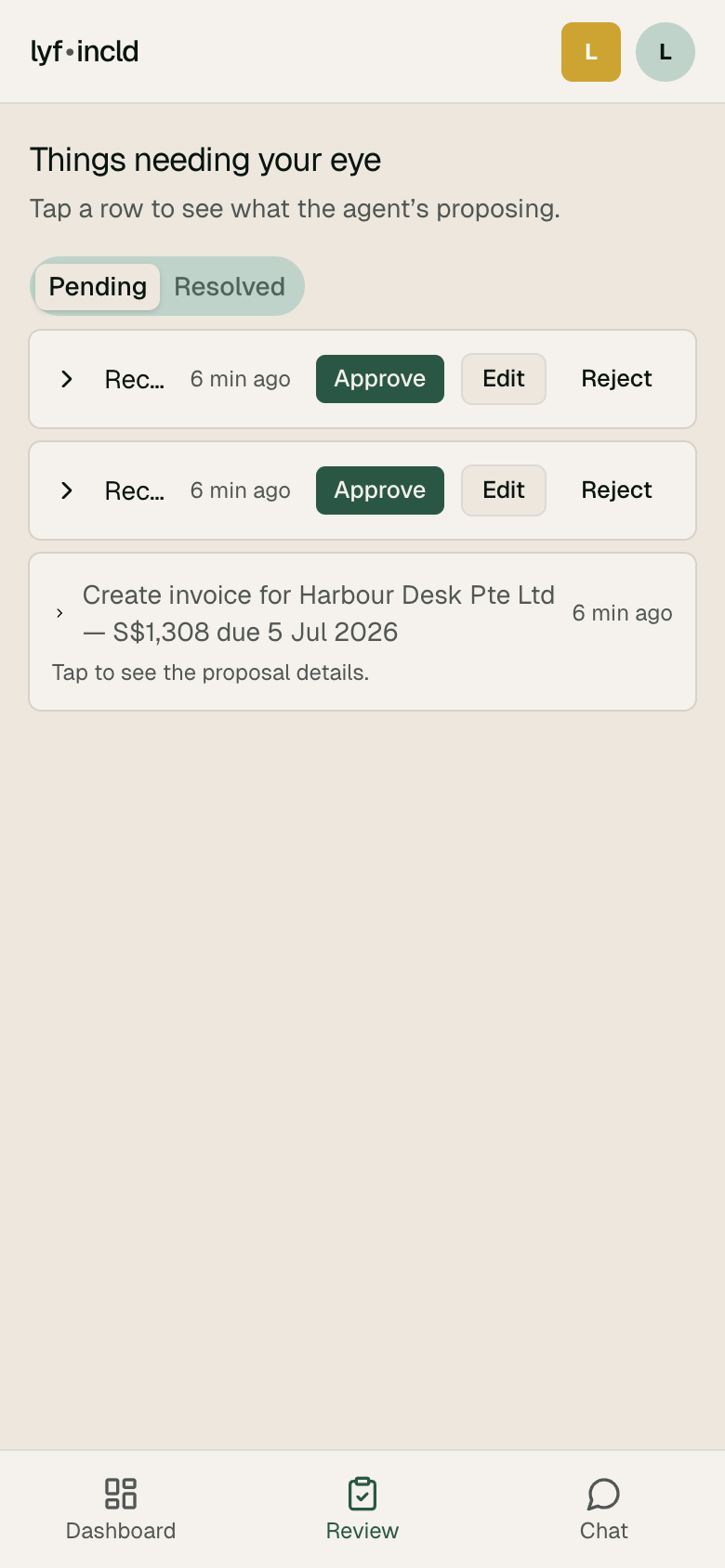
When Lyf needs confirmation, it brings the item to you with the source, proposed entry, and a plain-English explanation. You can approve, adjust, or ask a follow-up before anything posts.
How the work moves
Send the invoice, receipt, bank question, or customer request where the work already starts.
The agent reads the source, applies company context, and proposes the accounting and GST impact.
The review queue catches decisions that need a person before the ledger changes.
Approvals preserve the entry, source, reasoning, and activity history for close and audit work.
Ready to stop driving the accounting screen by screen?
Get early access